

- 1Supercontinuum Light Source ( 43...
- 2DataRay - Beam Profiling Cameras...
- 3633nm/775nm Frequency Swept Lase...
- 4SPAD 512 - A high-speed single-p...
- 5SuperSpeed V‑Modules with USB 3....
- 6intelliSCAN series (10 / 14 / 20...
- 7THORLABS - OPTICS (OPTICAL ELEME...
- 8Santec - Spatial Light Modulator
- 9Laser Diode Controller with TEC ...
- 10Hi-Speed V‑Module with USB 2.0 a...
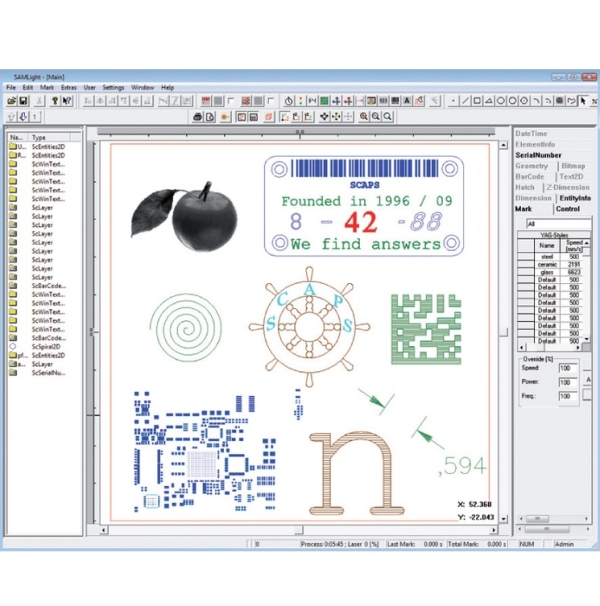

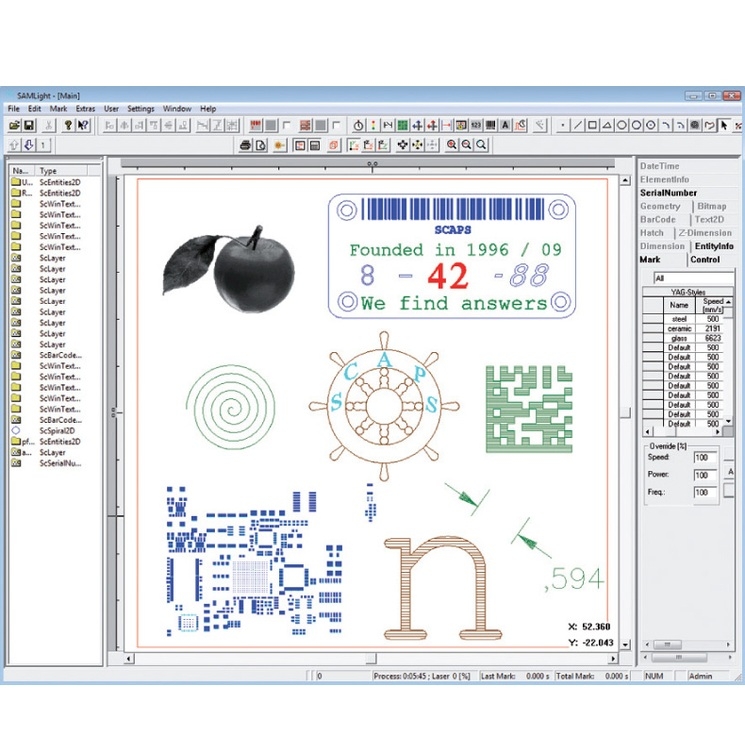
SAMLight
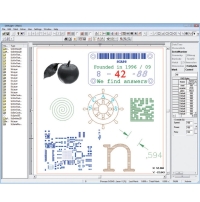
SAMLight is a solution based on the technology of SAM and provides powerful functionalities for many industrial laser applications as well as for job shops.


User Interface
- operates on MS Windows 11, 10, 8 and 7 (32 + 64 bit), Embedded Standard 7 (32 bit)
- English, German and Chinese version available, customized translation possible
- customized installer and GUI
- password-protected user levels
- easy accessible debug / backup tool
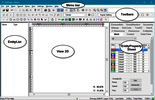
Job Editor
- fast rendering of graphical data
- transformation of data with mouse and keyboard input
- functions for comfortable alignment and spacing
- property page concept
- transformation of point items
- entity list for defining the order of marking
File Formats
- SCAPS Job Format (SJF) with fast preview capabilities
- many bitmap and vector import and export formats (bmp, png, jpg, plt, dxf, ai, svg, cnc, txt etc.)
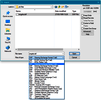
Remote Control of SAMLight (CCI)
- remote controlling of SAMLight via OCX (ActiveX) and COM interface from another customized software (32 and 64 bit)
- automation using several MS Windows development environments
- control by plain ASCII commands via TCP from a non-Windows OS possible

Automation
- different control objects (wait, timer, I/Os etc.)
- remote control via Ethernet or direct program calls (CCI)
- special sequence jobs (pre-/ post mark processing etc.)
- counter mode
- JobIOSelect mode

Optic
- variable adjustment of laser and scanner parameters
- easy management of multiple optic settings
- scanner movement preview
- laser power save and shutter control
- background camera integration
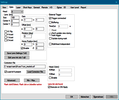
Pens and Styles
- copy option for pen settings
- perforation tool for cutting
- advanced wobble shapes follwing marking direction (USC-3)
- point to geometry mode for drilling
- power and speed ramping
- SkyWriting
- combination of pens and hatches to styles
- ParameterFinder for easy optimization of pen and hatch parameters
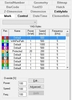
Hatcher
- up to 10 pre-definable hatches
- looping of pre-defined hatches with angle variation
- filling of 2D polygon lines and layer structures with various styles
- beam compensation of closed polygon lines during hatching

Bitmaps
- black&white and grayscale bitmap marking
- improved and easy bitmap handling
- automatic exchange of bitmaps in job
- improved grayscale to power mapping
- conversion fo vector to bitmap

Barcode
- generation of different 1D and 2D barcodes (3of9, EAN, EAN-128, Code-128, UPC-A, Data Matrix, QR etc.)
- extended Data MatrixECC 200 access mode
- Data Matrix dot generation
- QR code with logo

Text and Fonts
- fast font preview
- radial text
- Windows true type fonts (*.ttf)
- open type fonts (*.otf)
- laser fonts
- font editor for defining customized laser fonts
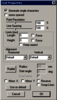
Serial Numbers and Date/Time Objects
- customized serial number objects
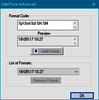
- customized date / time objects
- file serialization (csv, txt, xls, xlsm, xlsx)
- time shift, mapping of year, month and day
Motion Control
- for driving up to 6 axes
- direct motion control and job control objects
- homing procedure
- GUI for easy setup
- step and repeat functionality
Splitting
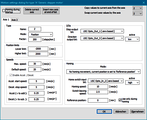
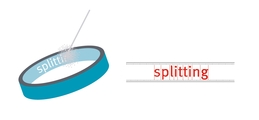
Several planar and angular splitting modes are available for marking of objects which are larger than the working area. For all modes, fixed or adaptable split sizes can be used. Between two split parts, SAMLight manages the movement of the axes automatically.
- 1D Planar Splitting
- 2D Planar Splitting
- Angular and Ring Splitting
- 1D MOTF Splitting
Parameter Finder
The Parameter Finder is a tool that helps to optimize pen and hatch parameters. It is structured as a wizard which guides the user through the different steps:
- For testing, define the grid, the entity and the pen to be optimized.
- Choose the "X Parameter" to be varied in horizontal direction.
- Choose the "Y Parameter" to be varied in vertical direction.
- Mark and select the best result or fine tune iteratively.
- Use an automated log file to find perfect parameters.
교환 및 반품안내
- 상품 택(tag)제거 또는 개봉으로 상품 가치 훼손 시에는 상품수령후 7일 이내라도 교환 및 반품이 불가능합니다.
- 저단가 상품, 일부 특가 상품은 고객 변심에 의한 교환, 반품은 고객께서 배송비를 부담하셔야 합니다(제품의 하자,배송오류는 제외)
- 일부 상품은 신모델 출시, 부품가격 변동 등 제조사 사정으로 가격이 변동될 수 있습니다.
- 신발의 경우, 실외에서 착화하였거나 사용흔적이 있는 경우에는 교환/반품 기간내라도 교환 및 반품이 불가능 합니다.
- 수제화 중 개별 주문제작상품(굽높이,발볼,사이즈 변경)의 경우에는 제작완료, 인수 후에는 교환/반품기간내라도 교환 및 반품이 불가능 합니다.
- 수입,명품 제품의 경우, 제품 및 본 상품의 박스 훼손, 분실 등으로 인한 상품 가치 훼손 시 교환 및 반품이 불가능 하오니, 양해 바랍니다.
- 일부 특가 상품의 경우, 인수 후에는 제품 하자나 오배송의 경우를 제외한 고객님의 단순변심에 의한 교환, 반품이 불가능할 수 있사오니, 각 상품의 상품상세정보를 꼭 참조하십시오.
환불안내
AS안내
- 소비자분쟁해결 기준(공정거래위원회 고시)에 따라 피해를 보상받을 수 있습니다.
- A/S는 판매자에게 문의하시기 바랍니다.
배송안내
- 배송비 : 기본배송료는 2,500원 입니다. (도서,산간,오지 일부지역은 배송비가 추가될 수 있습니다) 50,000원 이상 구매시 무료배송입니다.
- 본 상품의 평균 배송일은 30일입니다.(입금 확인 후) 설치 상품의 경우 다소 늦어질수 있습니다.[배송예정일은 주문시점(주문순서)에 따른 유동성이 발생하므로 평균 배송일과는 차이가 발생할 수 있습니다.]
- 본 상품의 배송 가능일은 30일 입니다. 배송 가능일이란 본 상품을 주문 하신 고객님들께 상품 배송이 가능한 기간을 의미합니다. (단, 연휴 및 공휴일은 기간 계산시 제외하며 현금 주문일 경우 입금일 기준 입니다.)
- 해외 주문 상품의 평균 배송일은 60일 이내입니다.
비밀번호 인증
글 작성시 설정한 비밀번호를 입력해 주세요.

장바구니 담기
상품이 장바구니에 담겼습니다.
바로 확인하시겠습니까?
찜 리스트 담기
상품이 찜 리스트에 담겼습니다.
바로 확인하시겠습니까?
비밀번호 인증
글 작성시 설정한 비밀번호를 입력해 주세요.


구매안전서비스


